


Notebookcheck Logo
Teaser

生化危机 Requiem》在基准测试中大放异彩

没有比这更可怕的了。

新的一年才刚刚开始,《生化危机:安魂曲》就已经登陆 PC 平台,而且是一款重量级的游戏。在我们的基准测试中,我们将了解这款游戏的技术是否与游戏性一样令人印象深刻。
Florian Glaser (translated by DeepL / Ninh Duy) Published 🇺🇸 🇩🇪 ...
Gaming Laptop / Notebook Desktop Gamecheck

Technology, settings, and benchmark

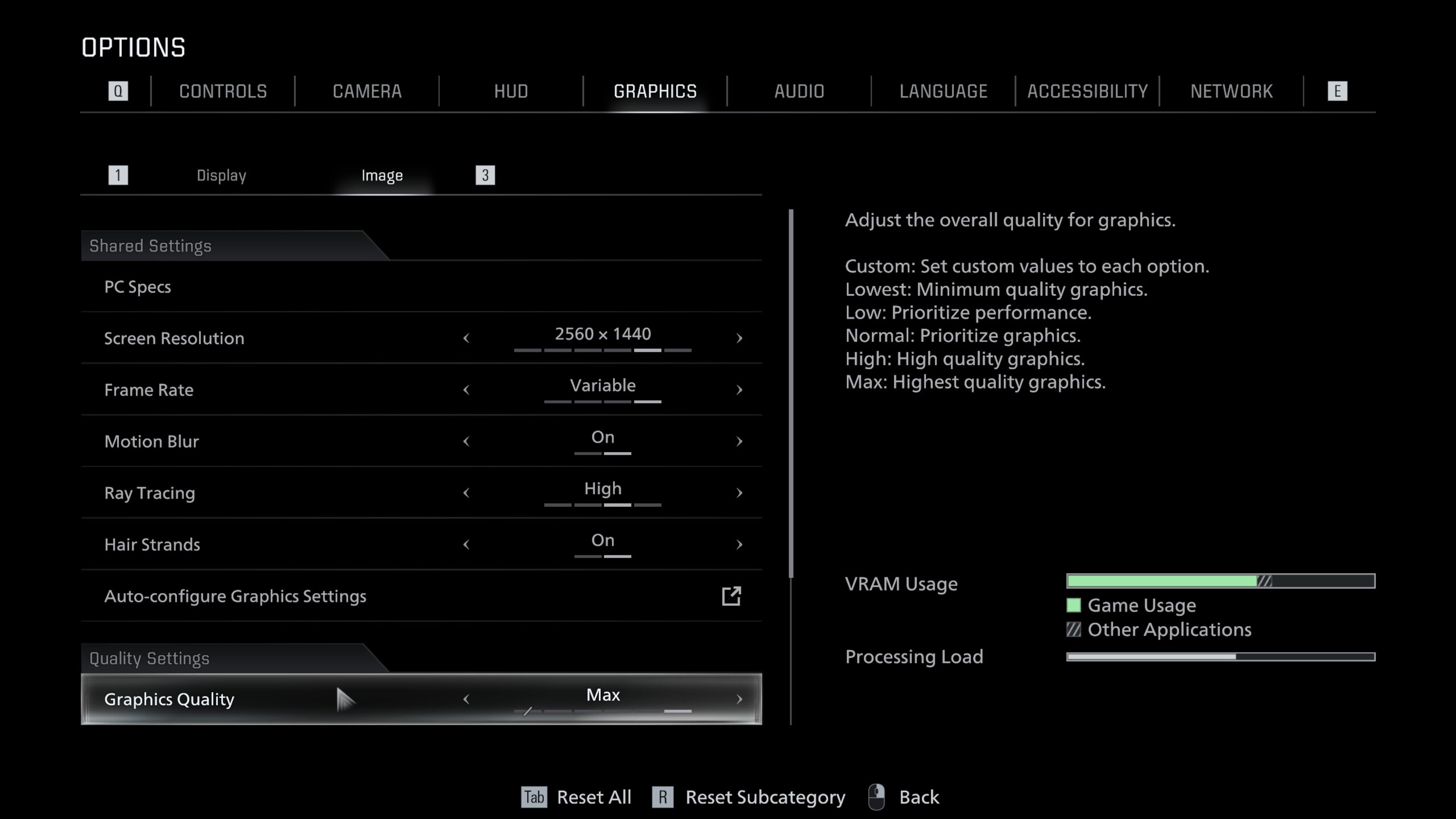
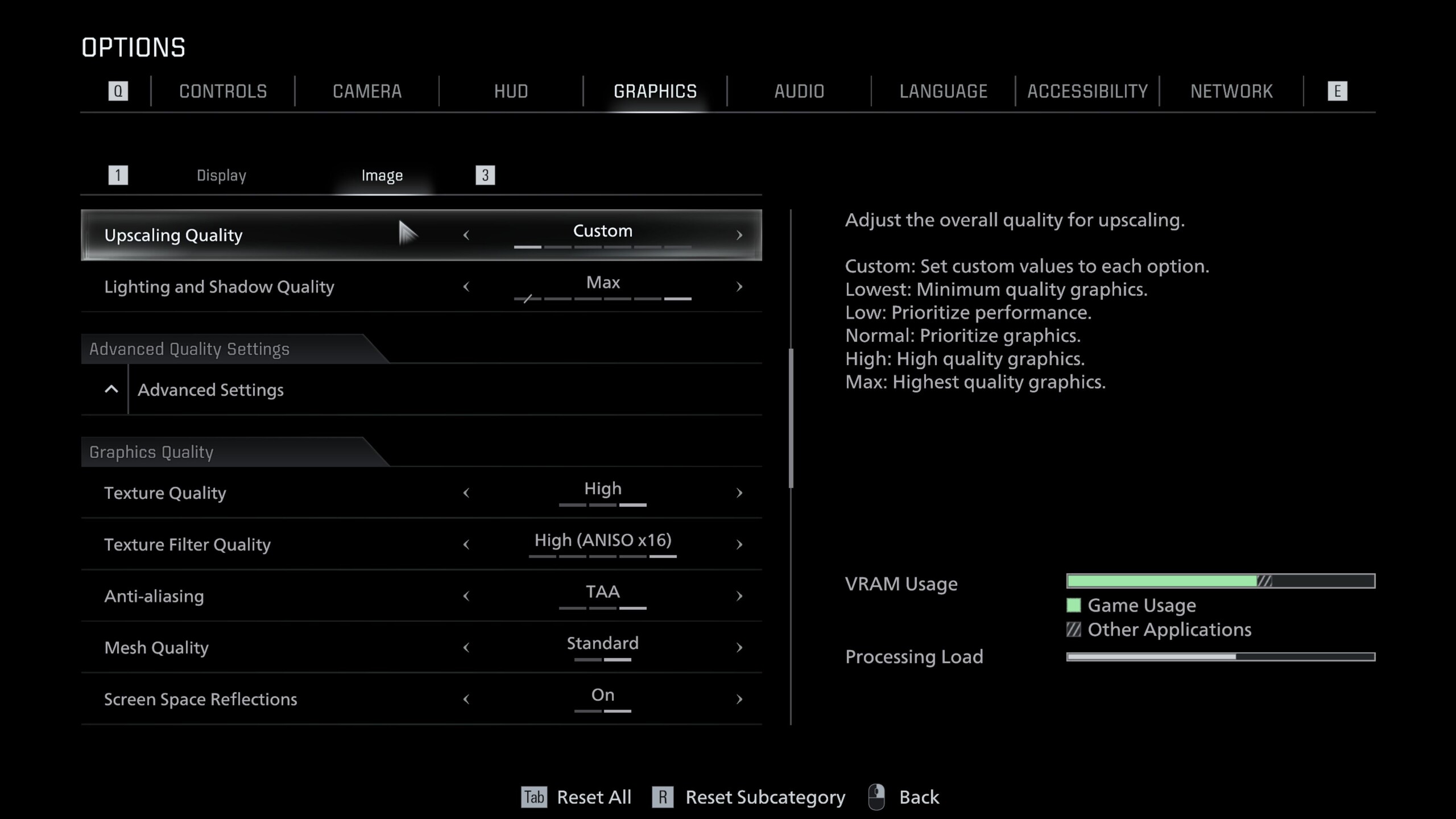
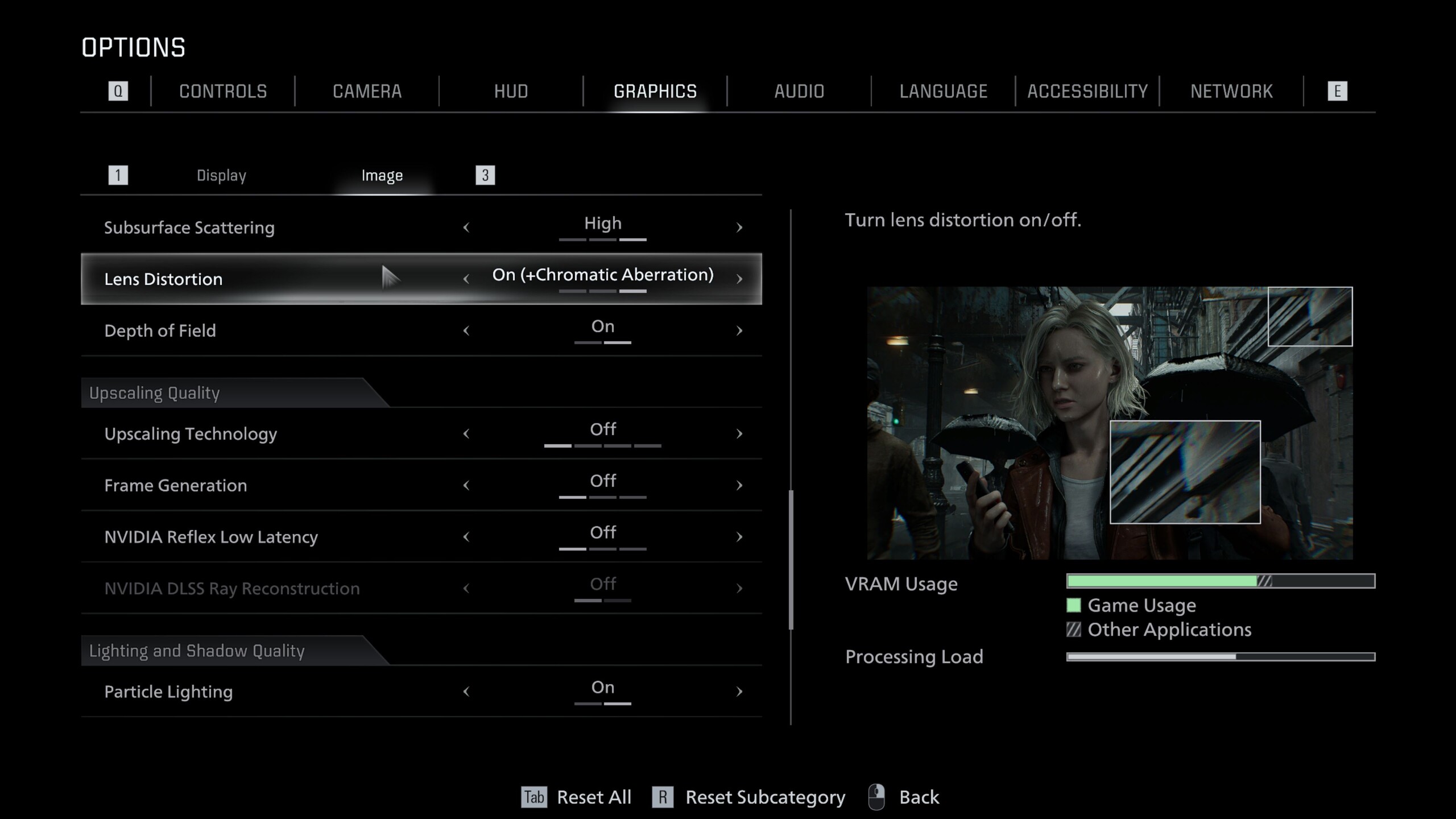
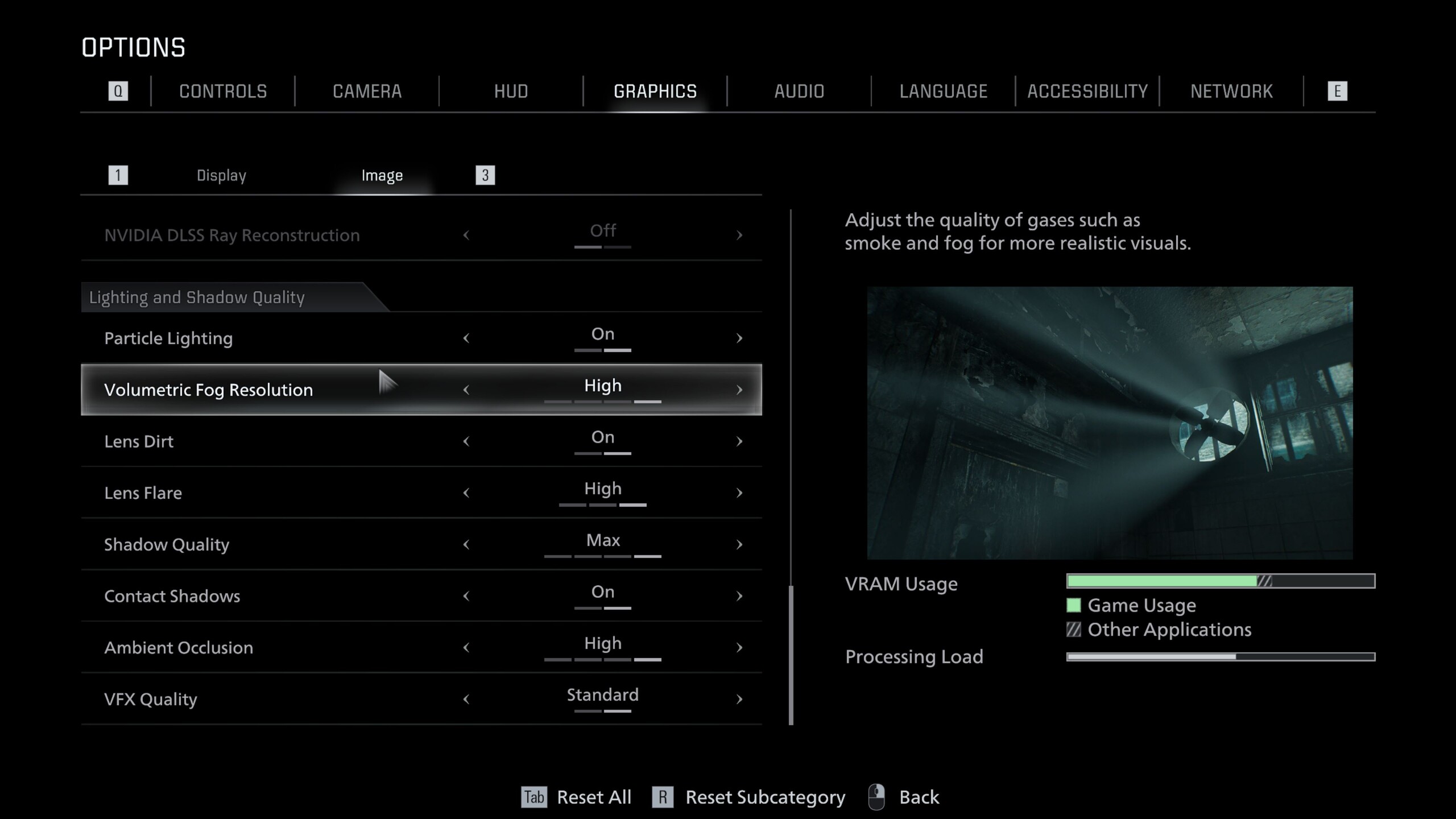
生化危机 Requiem》基于卡普空自家的 RE 引擎打造,其中包含了大量现代功能。如截图所示,极其详细的图形菜单分为 "显示 "和 "图像 "选项卡。它不仅包括支持 DLSS、FSR 和帧生成的缩放选项,还包括光线追踪和路径追踪的切换选项。

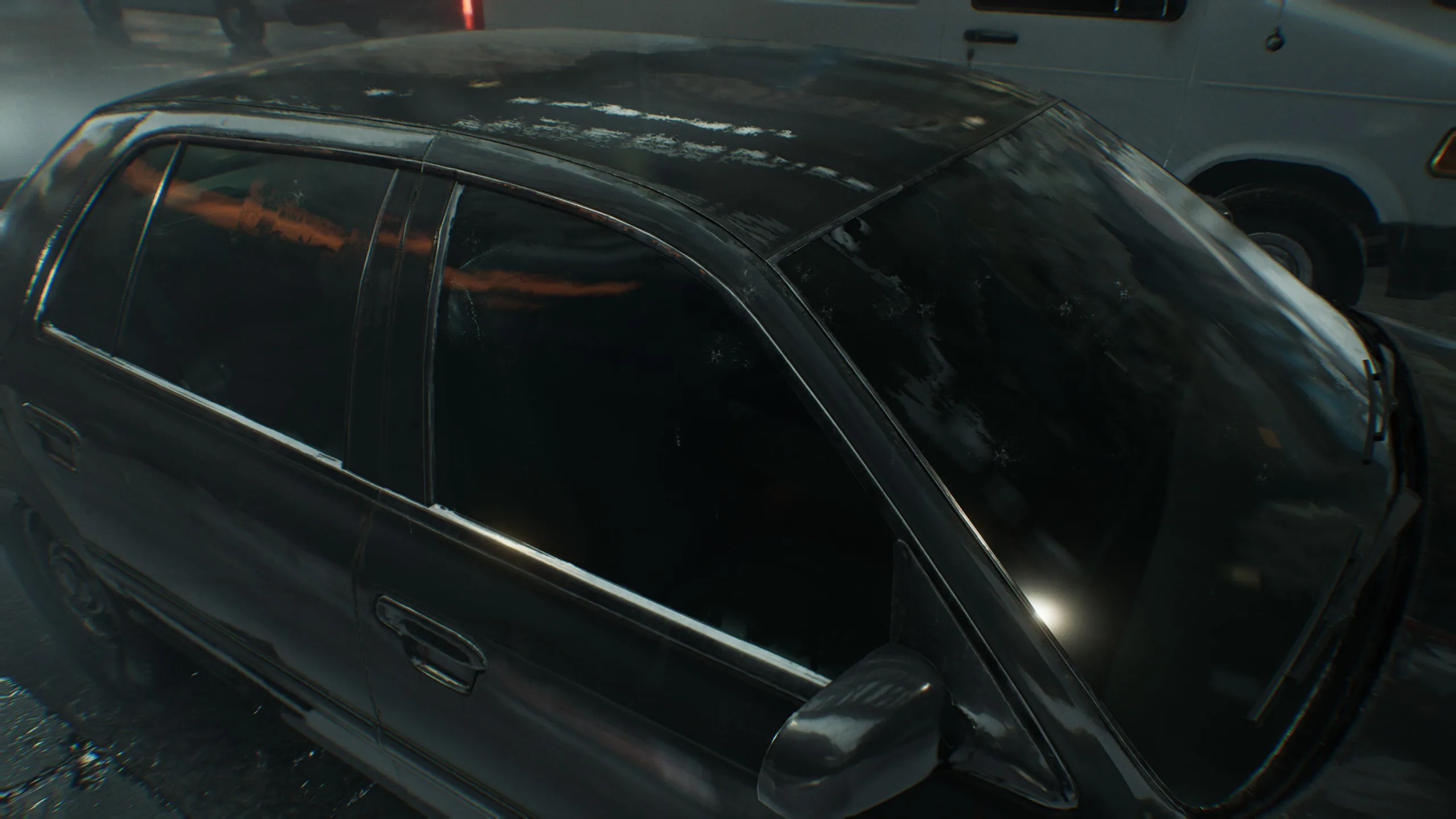
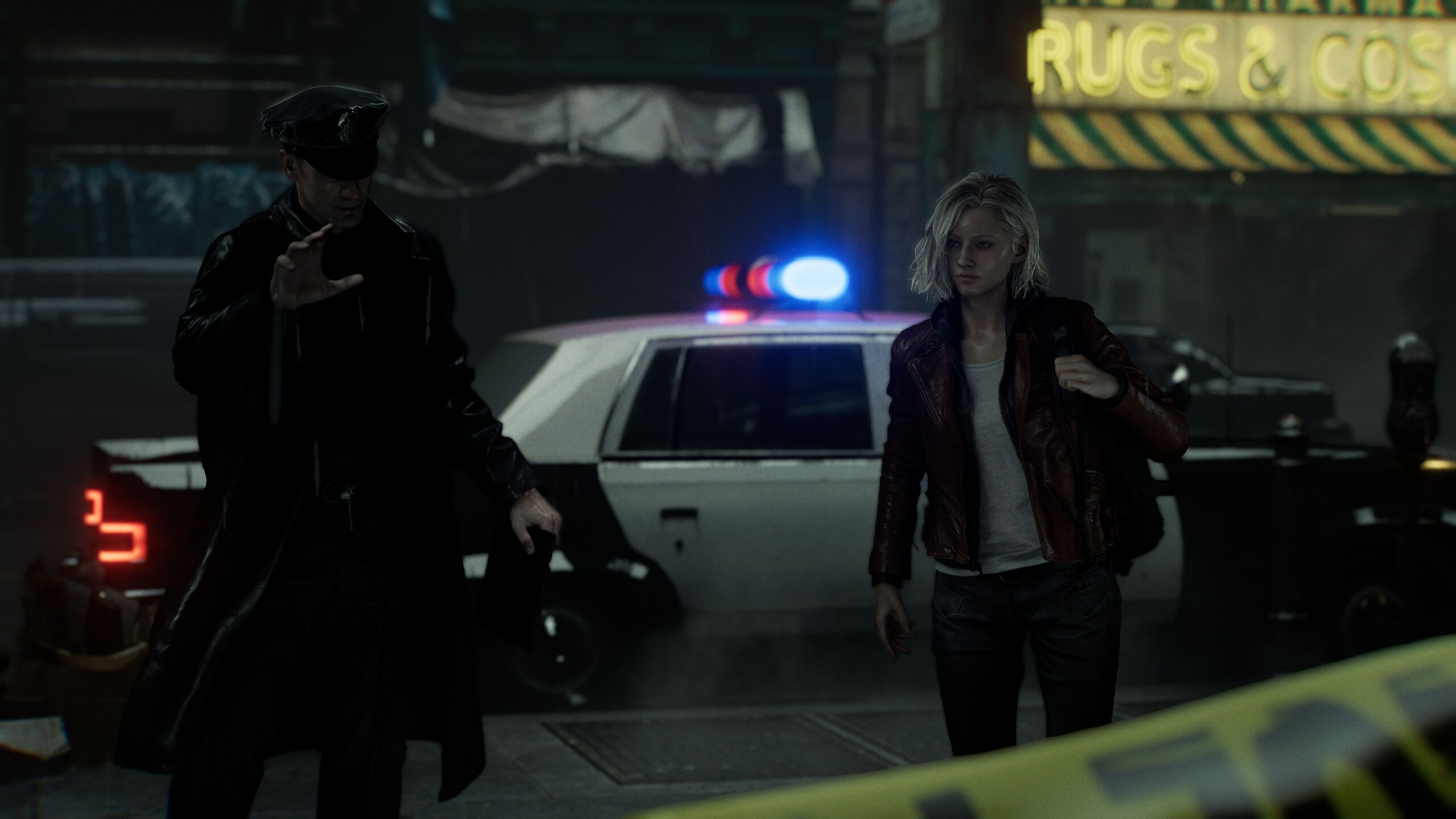
如下图所示,光线追踪已能产生非常迷人的反射效果,例如车窗上的反射效果,而路径追踪则能使其更加清晰。如果没有光线追踪,某些反射就会完全消失,这自然会影响气氛。

生化危机安魂曲
生化危机安魂曲
生化危机安魂曲
生化危机安魂曲
生化危机安魂曲

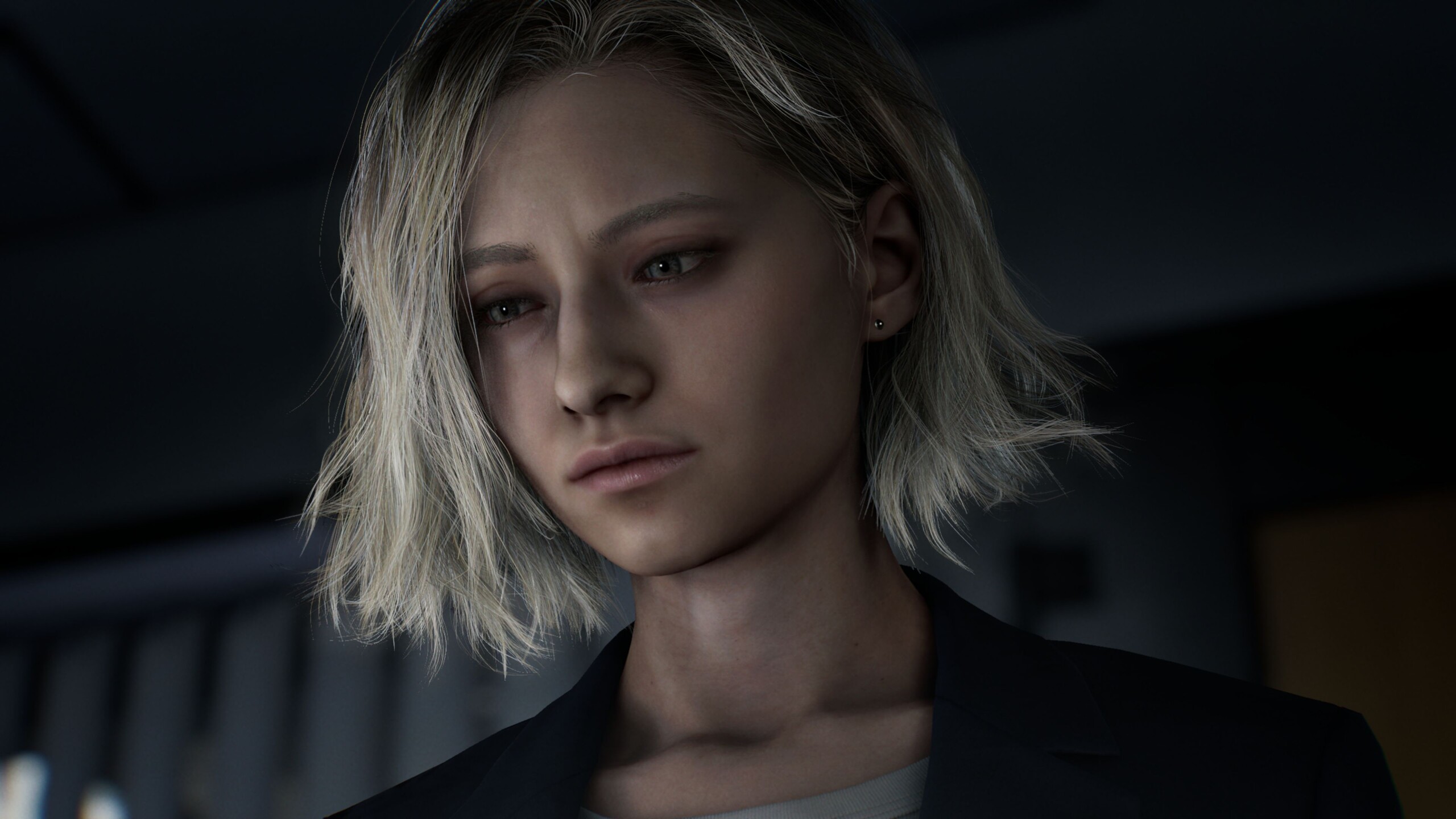
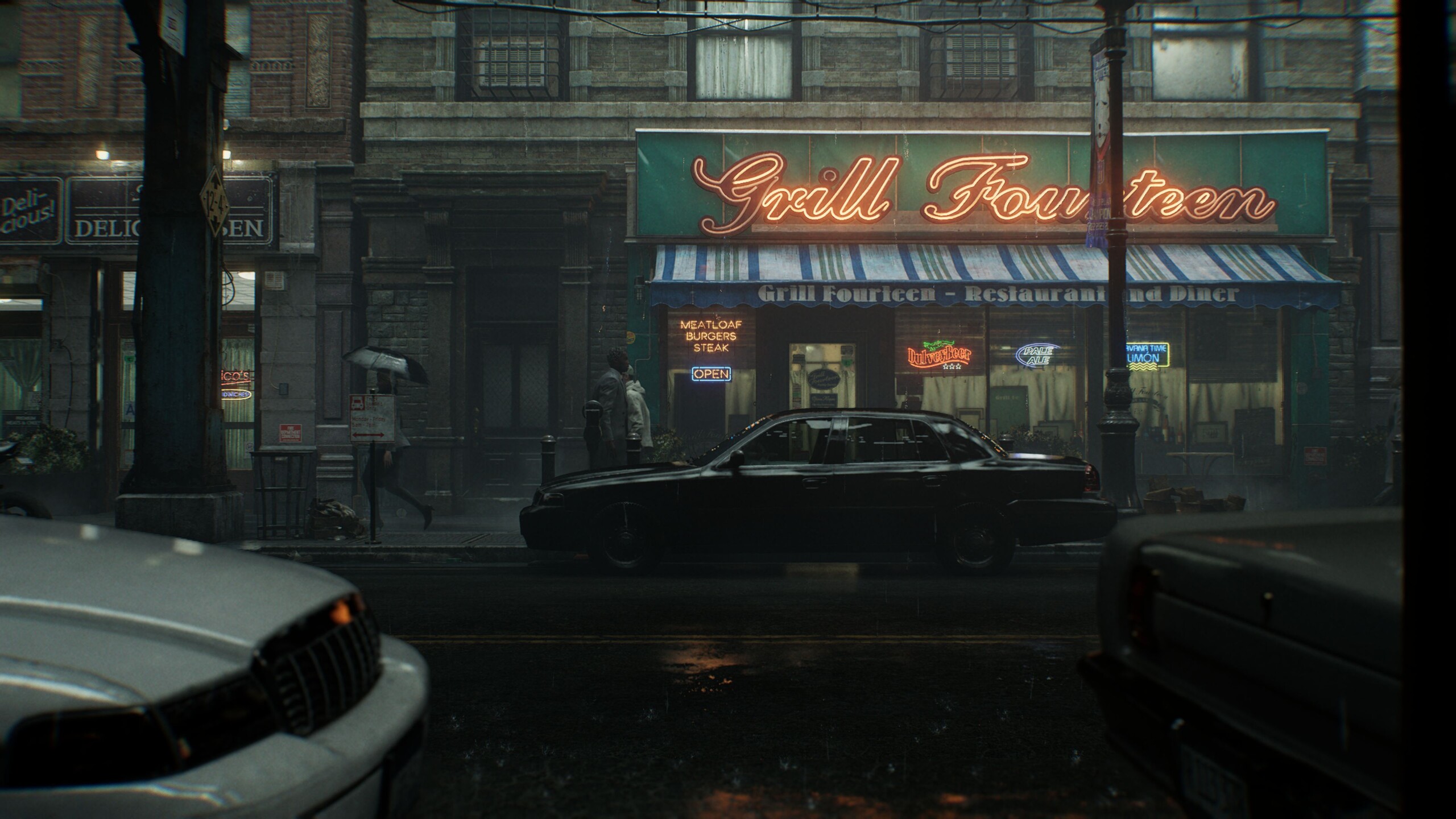
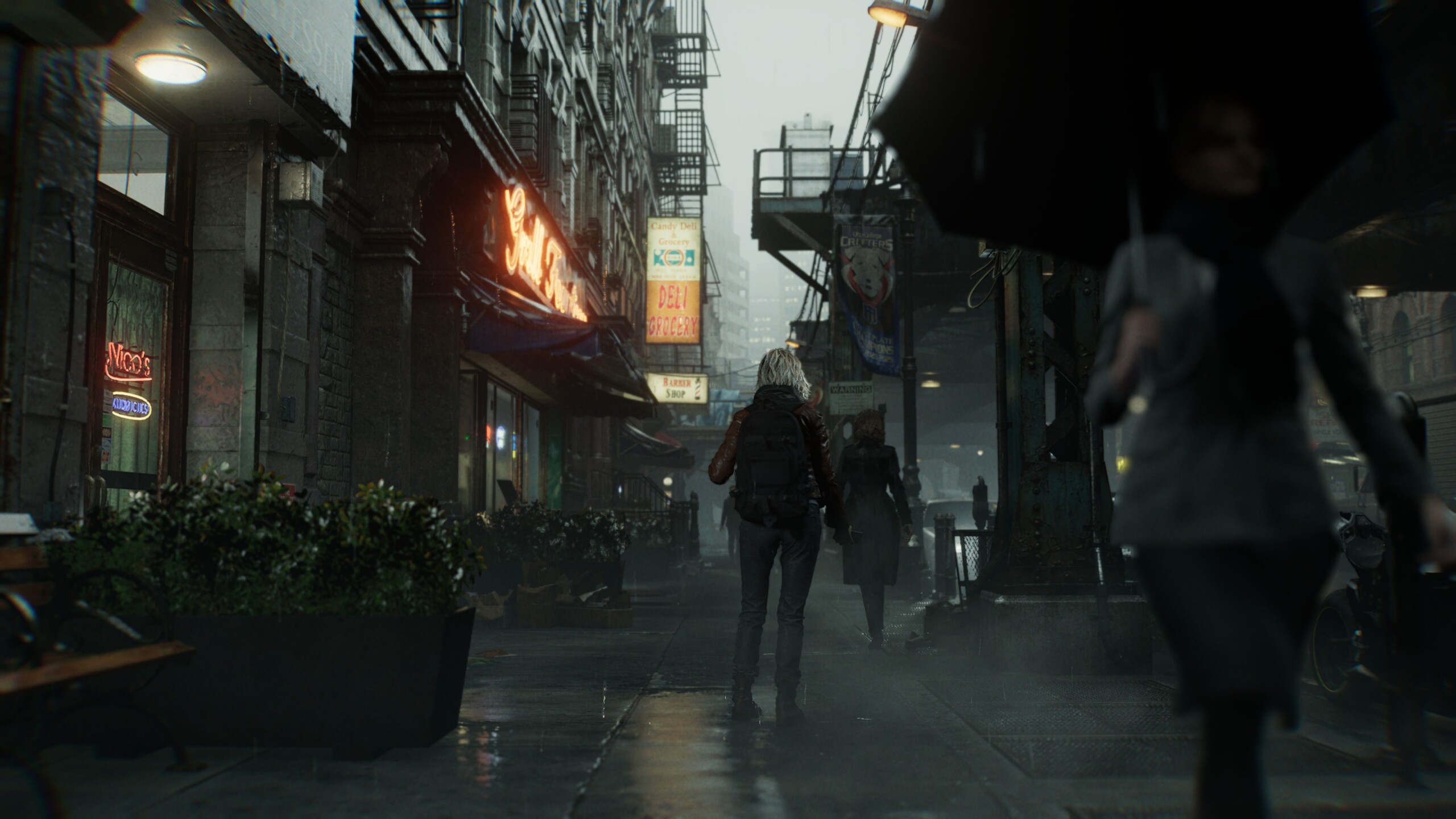
即使没有上面提到的图像增强,《生化危机 Requiem》看起来仍然不错,至少在中等设置以上的情况下是这样。这既适用于氛围,也适用于整体画质。大部分纹理都很清晰,雨水和烟雾等效果看起来确实令人印象深刻。光与影的相互作用尤为突出,表现得既出色又高质量。此外,细节水平也非常高,这在几年前是不可能出现的。
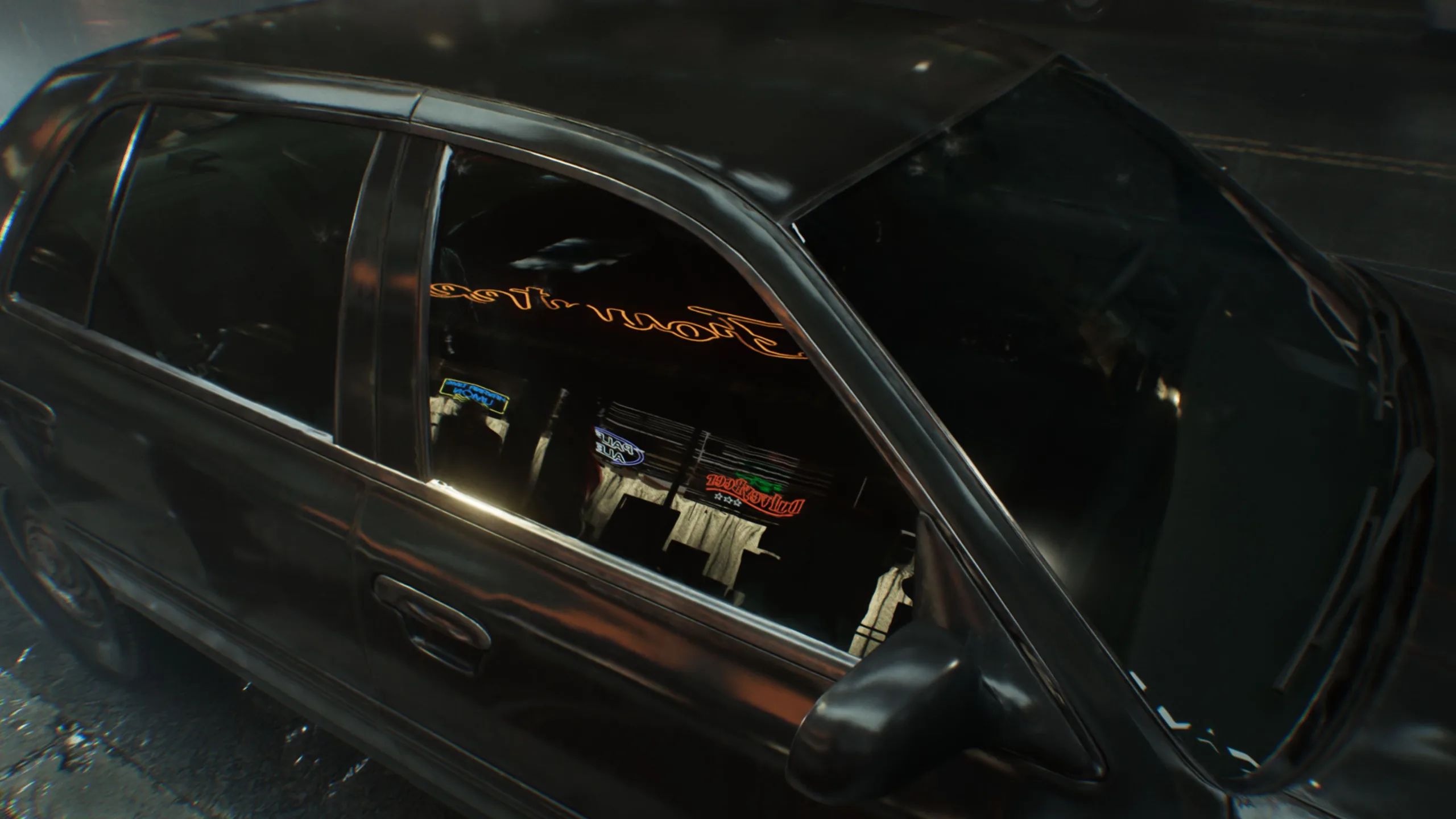
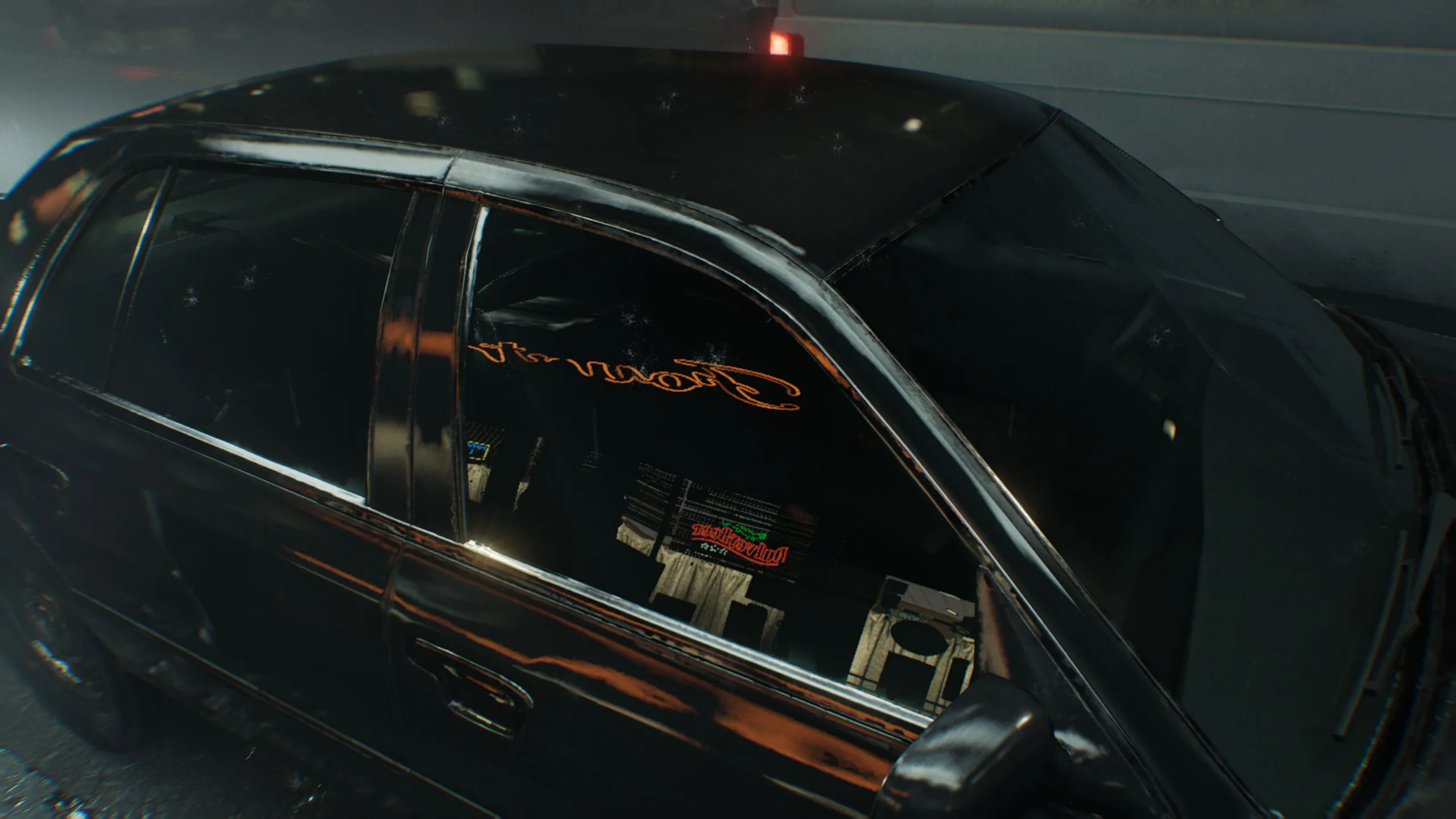
此外,主菜单中的更改可立即生效,无需重新启动。部分选项菜单中提供的对比图像和 VRAM 使用情况读数也值得称赞。在 VRAM 方面,8GB 显卡(如GeForce RTX 5060)在高设置下可充分利用,而在更高分辨率下性能会急剧下降。使用 12GB 或更大的显存,我们没有发现任何问题。

生化危机 Requiem》的下载大小约为 72 GB,既不算小也不算大。在固态硬盘上的加载时间完全正常。
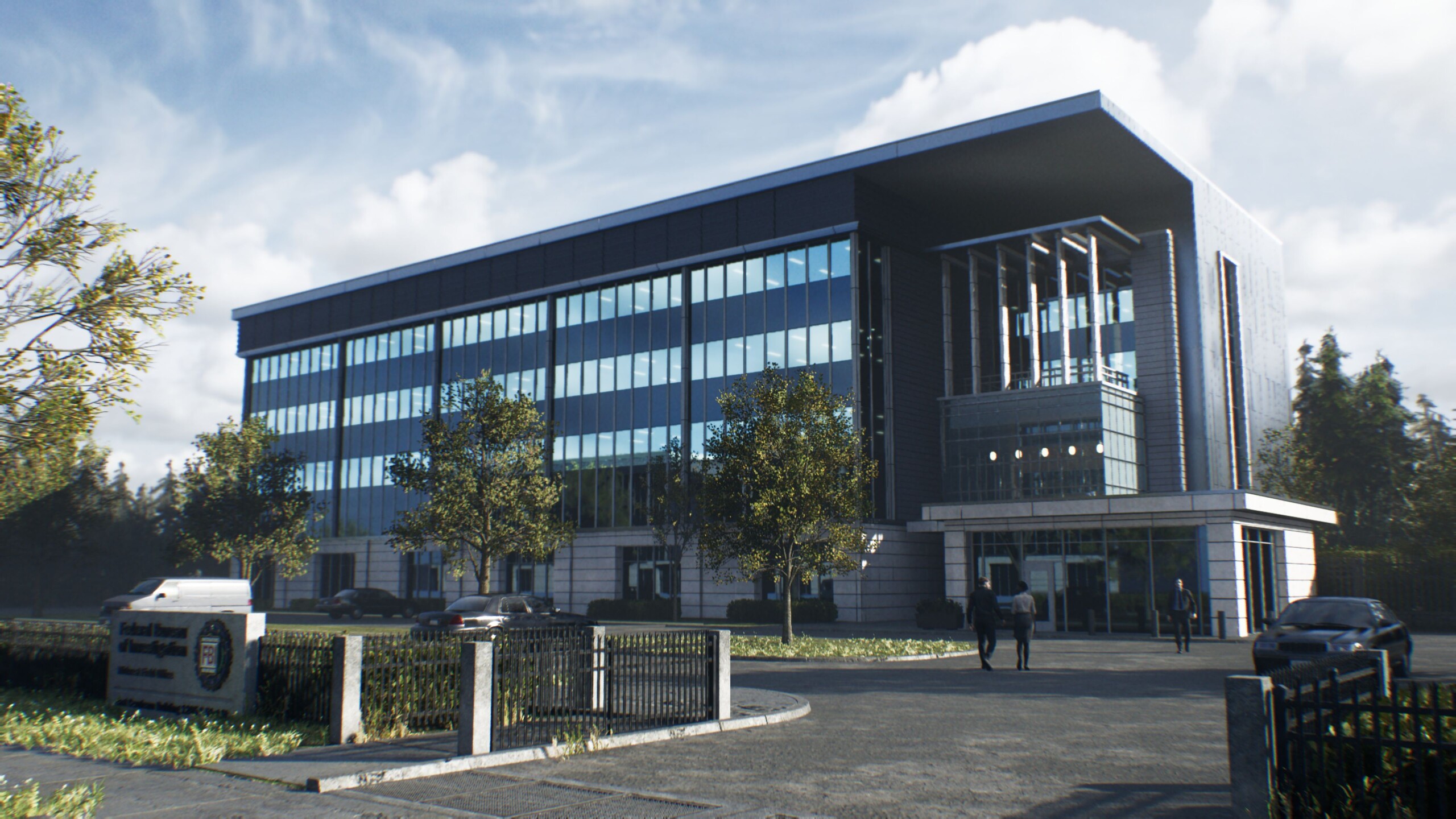
生化危机安魂曲
生化危机安魂曲
生化危机安魂曲
生化危机安魂曲
生化危机安魂曲
生化危机安魂曲
生化危机安魂曲

在基准测试序列中,我们使用了游戏的开头部分,即主角在人口稠密的街道上奔跑的过程。这部分展示了许多灯光效果,对性能的要求也相当高。

Results

FHD / 1,920 x 1,080

只要跳过光线追踪,对 GPU 的要求就相当适中。使用 "高 "预设,即使是 RTX 5060 笔记本电脑 GPU 也能达到 100 帧/秒。如果使用最高细节和高光线追踪级别,工作量会明显增加。即便如此,RTX 5060 仍能达到略高于 40 帧/秒的速度,这对许多玩家来说已经足够了。

Resident Evil Requiem
    1920x1080 Lowest Settings (no upscaling)     1920x1080 Normal Settings (no upscaling)     1920x1080 High Settings (no upscaling)     1920x1080 Max Settings + High Ray Tracing (no upscaling)
NVIDIA GeForce RTX 4080, i9-13900K
Desktop-PC Asus ROG Strix Z790-F
218 (26.9min, 138.5P0.1, 176.5P1) fps ∼100%
201 (111.2min, 124.6P0.1, 149.4P1) fps ∼100%
196.9 (114.1min, 119.3P0.1, 142.9P1) fps ∼100%
117.2 (99.7min, 104.2P0.1, 108P1) fps ∼100%
NVIDIA GeForce RTX 5090 Laptop, Ultra 9 275HX
XMG Neo 16 E25
171.4 (31.3min, 99.3P0.1, 136.7P1) fps ∼79%
153.7 (79.5min, 89.9P0.1, 105P1) fps ∼76%
148.6 (28min, 86P0.1, 102.1P1) fps ∼75%
103.4 (67.9min, 75.9P0.1, 86.5P1) fps ∼88%
NVIDIA GeForce RTX 5080 Laptop, Ultra 9 275HX
Tuxedo Stellaris 16
177.7 (59.3min, 94.7P0.1, 135.6P1) fps ∼82%
155.4 (49.4min, 79.4P0.1, 108.7P1) fps ∼77%
146.8 (25.2min, 74.3P0.1, 103.6P1) fps ∼75%
86.8 (66.4min, 71P0.1, 77P1) fps ∼74%
NVIDIA GeForce RTX 5060 Laptop, Ultra 9 275HX
XMG Fusion 16 M25
147.8 (25.9min, 81P0.1, 116.2P1) fps ∼68%
101.3 (73.4min, 76.3P0.1, 87.5P1) fps ∼50%
94.1 (51min, 69.7P0.1, 82.6P1) fps ∼48%
43.4 (14.9min, 30P0.1, 38.1P1) fps ∼37%

QHD / 2,560 x 1,440

只有在 QHD 范围内,情况才会变得更加棘手,对 VRAM 的需求也会变得更加重要。在移动 RTX 5060 上,除非启用升频,否则超高设置和高光线追踪都会变得非常卡顿。相比之下,RTX 5080 笔记本电脑的帧数略低于 60 fps,这已经相当不错了。

Resident Evil Requiem
    2560x1440 Max Settings + High Ray Tracing (no upscaling)
NVIDIA GeForce RTX 4080, i9-13900K
Desktop-PC Asus ROG Strix Z790-F
79.8 (71.9min, 72.1P0.1, 74.1P1) fps ∼100%
NVIDIA GeForce RTX 5090 Laptop, Ultra 9 275HX
XMG Neo 16 E25
69.2 (58.6min, 61.6P0.1, 64.1P1) fps ∼87%
NVIDIA GeForce RTX 5080 Laptop, Ultra 9 275HX
Tuxedo Stellaris 16
56.8 (50.2min, 50.7P0.1, 51.9P1) fps ∼71%
NVIDIA GeForce RTX 5060 Laptop, Ultra 9 275HX
XMG Fusion 16 M25
19.6 (8.22min, 8.44P0.1, 10.2P1) fps ∼25%

UHD / 3,840 x 2,160

最大设置为 3,840 x 2,160 时,如果不使用升频,基本上需要台式机级别的 GPU,例如 RTX 4080或更高。即使是 RTX 5090 笔记本电脑GPU 在这种情况下也必须努力工作。

Resident Evil Requiem
    3840x2160 Max Settings + High Ray Tracing (no upscaling)
NVIDIA GeForce RTX 4080, i9-13900K
Desktop-PC Asus ROG Strix Z790-F
41.5 (37.1min, 37.1P0.1, 38P1) fps ∼100%
NVIDIA GeForce RTX 5090 Laptop, Ultra 9 275HX
XMG Neo 16 E25
35 (30.9min, 30.9P0.1, 32.1P1) fps ∼84%
NVIDIA GeForce RTX 5080 Laptop, Ultra 9 275HX
Tuxedo Stellaris 16
28.4 (24.3min, 24.6P0.1, 25.9P1) fps ∼68%
NVIDIA GeForce RTX 5060 Laptop, Ultra 9 275HX
XMG Fusion 16 M25
2.84 (2.54min, 2.54P0.1, 2.57P1) fps ∼7%

路径跟踪、放大和帧生成

我们还测试了启用路径跟踪后的性能。在这种情况下,我们使用 DLSS Balanced 作为额外辅助工具。在 1,920 x 1,080 的分辨率下,一台 GeForce RTX 5070RTX 5070 Ti 笔记本电脑 图形处理器应能提供出色的效果。

Resident Evil Requiem
    1920x1080 Max Settings + Path Tracing + DLSS Balanced
NVIDIA GeForce RTX 5090 Laptop, Ultra 9 275HX
XMG Neo 16 E25
84.7 (60.6min, 64.1P0.1, 69.7P1) fps ∼100%
NVIDIA GeForce RTX 4080, i9-13900K
Desktop-PC Asus ROG Strix Z790-F
75.6 (65.4min, 66.3P0.1, 68.2P1) fps ∼89%
NVIDIA GeForce RTX 5080 Laptop, Ultra 9 275HX
Tuxedo Stellaris 16
71 (51.3min, 56P0.1, 64.1P1) fps ∼84%
NVIDIA GeForce RTX 5060 Laptop, Ultra 9 275HX
XMG Fusion 16 M25
31.3 (14.8min, 23.9P0.1, 26.1P1) fps ∼37%

此外,我们还在移动设备上进行了一些测量 RTX 5080RTX 5090在 QHD 下使用多帧生成、最大设置、路径跟踪和 DLSS 平衡进行了一些测量。相应结果如下表所示。与往常一样,MFG 带来了巨大的帧率提升,尤其是在 x4 级别。在感知延迟方面,我们几乎没有发现任何差异。

2.560 x 1,440,带路径跟踪的最大设置 DLSS平衡 + MFGx4 DLSS平衡 + MFGx2 DLSS平衡
GeForce RTX 5090 笔记本电脑 179 帧/秒(43 帧/秒,低 1%) 104 帧/秒(47 帧/秒,低 1%) 62.8 帧/秒(50 帧/秒,低 1)
GeForce RTX 5080 笔记本电脑 145 fps(34 fps 1% 低) 85.3 fps(37 fps 1% 低) 51.4 fps(43 fps 1% 低)

Verdict: A graphical and gameplay highlight

生化危机 Requiem》为自己提供了一个强有力的理由,展示了现代游戏不仅在技术上,而且在内容上几乎都能给人留下深刻印象。玩家和媒体对它的高评价也就不足为奇了。我们向任何对这一类型游戏稍有兴趣的玩家推荐这款恐怖游戏,尤其是因为在没有光线追踪和类似功能的情况下,系统要求仍然可以应付,而且在需要时还可以通过升频作为备用。

Test systems

XMG Neo 16 E25(RTX 5090 笔记本电脑)
Tuxedo Stellaris 16 Gen7(RTX 5080 笔记本电脑)
XMG Fusion 16 M25(RTX 5060 笔记本电脑)

Overview

由于游戏基准测试非常耗时,有时还会受激活限制而延迟,因此在文章上线时,我们只能展示有限的一组结果。其他 GPU 将陆续发布。

Show Restrictions
PosModel< PrevNext >Resident Evil Requiem
 Resident Evil Requiem (2026)
low
1920x1080
Lowest Settings (no upscaling)
med.
1920x1080
Normal Settings (no upscaling)
high
1920x1080
High Settings (no upscaling)
ultra
1920x1080
Max Settings + High Ray Tracing (no upscaling)
QHD
2560x1440
Max Settings + High Ray Tracing (no upscaling)
4K
3840x2160
Max Settings + High Ray Tracing (no upscaling)
NVIDIA GeForce RTX 4080
218
201
196.9
117.2
79.8
41.5
NVIDIA GeForce RTX 5090 Laptop
171.4
153.7
148.6
103.4
69.2
35
NVIDIA GeForce RTX 5080 Laptop
177.7
155.4
146.8
86.8
56.8
28.4
NVIDIA GeForce RTX 5060 Laptop
147.8
101.3
94.1
43.4
19.6
2.84
(-) * Smaller values are better. / n123 Number of benchmarks for this median value / * Approximate position


Legend
5Stutters – This game is very likely to stutter and have poor frame rates. Based on all known benchmarks using the specified graphical settings, average frame rates are expected to fall below 25fps
May Stutter – This graphics card has not been explicitly tested on this game. Based on interpolated information from surrounding graphics cards of similar performance levels, stutters and poor frame rates are expected.
30Fluent – Based on all known benchmarks using the specified graphical settings, this game should run at or above 25fps
40Fluent – Based on all known benchmarks using the specified graphical settings, this game should run at or above 35fps
60Fluent – Based on all known benchmarks using the specified graphical settings, this game should run at or above 58fps
May Run Fluently – This graphics card has not been explicitly tested on this game. Based on interpolated information from surrounding graphics cards of similar performance levels, fluent frame rates are expected.
?Uncertain – This graphics card experienced unexpected performance issues during testing for this game. A slower card may be able to achieve better and more consistent frame rates than this particular GPU running the same benchmark scene.
Uncertain – This graphics card has not been explicitly tested on this game and no reliable interpolation can be made based on the performances of surrounding cards of the same class or family.
The value in the fields displays the average frame rate of all values in the database. Move your cursor over the value to see individual results.
Please share our article, every link counts!
Mail Logo
> Notebookcheck中文版(NBC中国) > 评测 > 生化危机 Requiem》在基准测试中大放异彩
Florian Glaser, 2026-03- 4 (Update: 2026-03- 4)